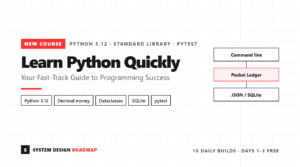
Learn Python Quickly: Your Fast-Track Guide to Programming Success
Learn Python by building one real program, a command-line expense tracker, across fifteen short lessons. Every lesson runs, every lesson is tested, and nothing needs an account or an API key.
Or buy this course only — $99.00
This course includes
- 15 lessons across 4 modules
- Hands-on coding exercises
- Downloadable resources & code
- Certificate of completion
- 12 months of access
Why This Course?
Most beginner courses teach syntax in isolation: a loop here, a dictionary there, and no reason to connect them. You finish knowing words but unable to write a program. This course fixes that by giving every concept a job inside one project, so by the last lesson you have a tool you use yourself and the tests that prove it works.
What You'll Build
A command-line expense tracker built only with the Python standard library. You type python -m ledger add 12.50 lunch #food, and it validates the entry, stores it, imports bank CSV exports, and prints monthly totals by category against a budget. It starts as a one-line script in lesson 1 and ends as a tested package with JSON and SQLite storage.
By the last day you can:
Build and explain Pocket Ledger, a command-line expense tracker with add, list, import and report commands
Handle money correctly with decimal.Decimal and explain why 0.1 + 0.2 != 0.3 with floats
Model data with dataclasses, report bad input with custom exceptions, and keep logic in small pure functions
Save data safely to JSON with an atomic write, then move the same app onto SQLite behind one interface
Write pytest tests with fixtures, parametrize and tmp_path that run in under a second
Who Should Take This Course?
Complete beginners who want to write a useful program, not just pass syntax quizzes
Developers from JavaScript, Java or C# who want idiomatic Python fast
Analysts and testers who want to automate their own repetitive work
Job seekers who want a small, tested project to show and explain in interviews
What Makes This Course Different?
Each lesson changes one thing in the same codebase and ships a pytest suite you run to check your work, so you always know whether it worked. Lessons pick the choices professional teams make and explain why: Decimal over float for money, writing to a temp file then renaming, injecting today's date so tests do not depend on the calendar. Standard library only, so nothing breaks when a package updates.
The 15-Day Plan
Module 1: First Steps
Day 1: Your First Script: Running Python and Printing Results. You print your first formatted expense line and pass your first pytest test.
Day 2: Numbers That Handle Money: int, float and Decimal. You write a converter that turns typed amounts into exact Decimal cents.
Day 3: Working with Text: Parsing an Expense Line. You turn "12.50 lunch #food" into an amount, a note and a category.
Day 4: Making Decisions and Repeating Work: if, for and while. You loop over many lines, skip blanks and comments, and fill in default categories.
Module 2: Structuring Your Code
Day 5: Functions You Can Trust: Parameters, Return Values and Type Hints. You refactor the script into small typed functions that are easy to test.
Day 6: Grouping Data: Lists, Dictionaries and Totals by Category. You add up spending per category and print a sorted report.
Day 7: Modelling Your Data with Dataclasses. You replace loose tuples with a validated, immutable Expense record.
Day 8: When Input Goes Wrong: Exceptions and Error Messages. You report every bad line with its line number instead of crashing.
Module 3: A Real Program
Day 9: Saving Your Work: Files, pathlib and JSON. You save expenses to a JSON file that a crash cannot leave half-written.
Day 10: Organizing Code: Modules, Packages and python -m. You turn one file into a package that runs with python -m ledger.
Day 11: A Real Command-Line Interface with argparse. You add add, list and report commands with proper exit codes.
Day 12: Importing Bank Exports: csv, Comprehensions and Generators. You stream a bank CSV export into the ledger and skip bad rows.
Module 4: Ready for Real Use
Day 13: Dates and Monthly Budgets with datetime. You compare each month's spending against a budget, tested with a fixed date.
Day 14: Moving to a Database: sqlite3 Behind an Interface. You add SQLite storage that the app swaps in for JSON with one flag.
Day 15: Testing Like a Professional Team: Fixtures, Parametrize and Fakes. You finish with a fast test suite that runs the same checks against both storage backends.
What Is Free
Days 1 to 3 are free. New lessons are added as they are published; the rest of the course is part of the paid plan.
What's Included
Prerequisites
Comfort using a terminal: changing folders and running a command
Python 3.12 installed (python --version prints 3.12.x)
No earlier programming experience required
Or buy this course only — $99.00
This course includes
- 15 lessons across 4 modules
- Hands-on coding exercises
- Downloadable resources & code
- Certificate of completion
- 12 months of access