Hands-On Frontend Development: Build Production-Ready Web Applications
This course includes
- 30 lessons across 6 modules
- Hands-on coding exercises
- Downloadable resources & code
- Certificate of completion
- 12 months of access
Why This Course?
The current landscape of frontend education often teaches isolated concepts or toy examples, leaving a chasm between "hello world" and shipping resilient, high-performance applications that stand up to real-world traffic and user expectations. You'll learn frameworks, but rarely the trade-offs those frameworks impose, or the brutal realities of browser inconsistencies, network unreliability, and the silent cost of every JavaScript byte. This course bridges that gap. We don't just build features; we break them, measure them, and fix them, understanding the "why" behind every design decision. By the end, you won't just know how to build a web application, but how to build one that doesn't melt down at 3 AM, and what to do when it inevitably does. You'll gain the instinct to anticipate failures, design for resilience, and diagnose issues with the same rigor applied to backend distributed systems.
What You'll Build
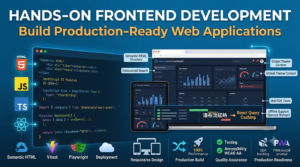
You will construct the Nebula Pulse Dashboard, a sophisticated, real-time analytics application designed to monitor the health and performance of a distributed system. Starting as a barebones HTML page, it will evolve into a full-fledged, installable Progressive Web Application (PWA) with a robust React architecture, comprehensive testing, client-side error tracking, and adherence to stringent performance and accessibility standards. By Day 30, your Nebula Pulse Dashboard will reliably fetch and display streaming data, offer an intuitive user experience, maintain a Lighthouse score above 95, boast significant test coverage, support offline functionality, and integrate patterns for client-side AI-driven UI adjustments, all while running smoothly on commodity hardware.
Who Should Take This Course?
Fresh CS/Engineering graduates: Translate academic theory into practical, production-grade frontend engineering skills, building a portfolio-ready system that demonstrates a deep understanding of modern web architecture and operational excellence.
Software engineers and developers: Accelerate your transition into a senior frontend role, mastering the nuances of performance, testing, and resilience often overlooked in basic tutorials, and learning to reason about frontend systems with a distributed systems mindset.
Systems programmers, systems engineers, software designers, software architects: Understand the client-side implications of your backend designs, gaining insights into how frontend performance, data consistency, and error handling impact the overall system's stability and user experience at scale.
Product managers: Develop the technical vocabulary and understanding of frontend capabilities, constraints, and trade-offs (performance, accessibility, development cost) to make more informed product decisions and set realistic expectations.
UI/UX designers: See how design principles translate directly into code, understanding the technical complexities and limitations that influence implementation, fostering more effective collaboration with engineering teams.
QA engineers: Gain a deep appreciation for the underlying architecture and common failure modes of modern web applications, enabling you to design more comprehensive test plans and identify critical bugs earlier.
SREs, DevOps engineers: Learn the specifics of client-side observability, performance budgets, error tracking, and frontend deployment strategies, crucial for maintaining the reliability and availability of user-facing systems.
Data engineers: Understand how the data you provide is consumed, visualized, and interacted with, informing better API design and data delivery strategies.
Project managers, engineering managers: Acquire a holistic view of the frontend development lifecycle, from initial architecture to operational monitoring, enabling more accurate project estimation, risk management, and team leadership.
Technical writers: Grasp the intricate details of modern web application architecture, tooling, and operational considerations, allowing you to produce accurate, valuable, and actionable documentation.
IT services consultants and engineers: Broaden your technical expertise to include the critical domain of web application development, enhancing your ability to advise on, troubleshoot, and support client-side systems.
What Makes This Course Different?
Unlike courses that offer disconnected mini-projects or theoretical lectures, this curriculum is built on a single, continuously evolving system: the Nebula Pulse Dashboard. Every lesson builds directly on the last, transforming a basic HTML file into a production-ready PWA. We don't shy away from the hard parts; you'll spend dedicated "failure days" deliberately breaking your system—simulating network partitions, API errors, and performance regressions—then observing and fixing the fallout, just like a real on-call engineer. This dependency-graph design ensures that every concept is immediately applied and integrated, forging muscle memory for debugging and resilient design. You won't just learn what to do, but why it matters when the system is under duress, preparing you for the realities of operating critical frontend infrastructure.
What's Included
Prerequisites
Basic programming literacy: Familiarity with variables, loops, functions, and conditional statements in any language.
Command-line comfort: Ability to navigate directories, run scripts, and install packages.
A modern computer: Capable of running a code editor, Node.js, and a web browser.
No prior frontend experience is required, but a willingness to engage deeply with hands-on coding and problem-solving is essential. We start from first principles but move quickly into advanced topics.
This course includes
- 30 lessons across 6 modules
- Hands-on coding exercises
- Downloadable resources & code
- Certificate of completion
- 12 months of access