Stop Guessing Your Messaging Architecture. Start Shipping. A definitive, battle-tested decision guide to choosing the right messaging system in 2026—without paying the “wrong-tool” ops tax. The Problem: You’re Over-Engineering (or...
Stop Guessing Your Messaging Architecture. Start Shipping.
A definitive, battle-tested decision guide to choosing the right messaging system in 2026—without paying the “wrong-tool” ops tax.
The Problem: You’re Over-Engineering (or Under-Preparing)
Every design review eventually turns into an debate:
“Should we just use Kafka?”
Usually, nobody has a clear answer. Fast-forward six months:
Your Kafka cluster is costing thousands a month to process 200 events/sec.
Your RabbitMQ setup is crashing because you hit its throughput ceiling trying to stream events.
Your SQS + SNS combo has turned into an operational nightmare for complex event patterns.
Choosing a messaging system without analyzing throughput, consumption patterns, and operational tolerance is the fastest way to accumulate technical debt.
The Guide You Wish Someone Handed You Three Careers Ago
This isn’t another high-level blog post or vendor-sponsored marketing fluff. This guide is built on real-world production experience running Kafka, Pulsar, Kinesis, NATS, RabbitMQ, and SQS at scale.
Whether you’re building a low-latency microservice, an enterprise event log, or an async background worker, this decision guide gives you the exact framework to pick the right tool on Day 1.
What You’ll Get Inside
1. The Core Architectural Fork
Streaming Log vs. Message Queue: Learn the single most important question most teams skip before picking a tool.
Know exactly when to use an event stream, a work queue, or when to skip both and stick to simple HTTP/gRPC.
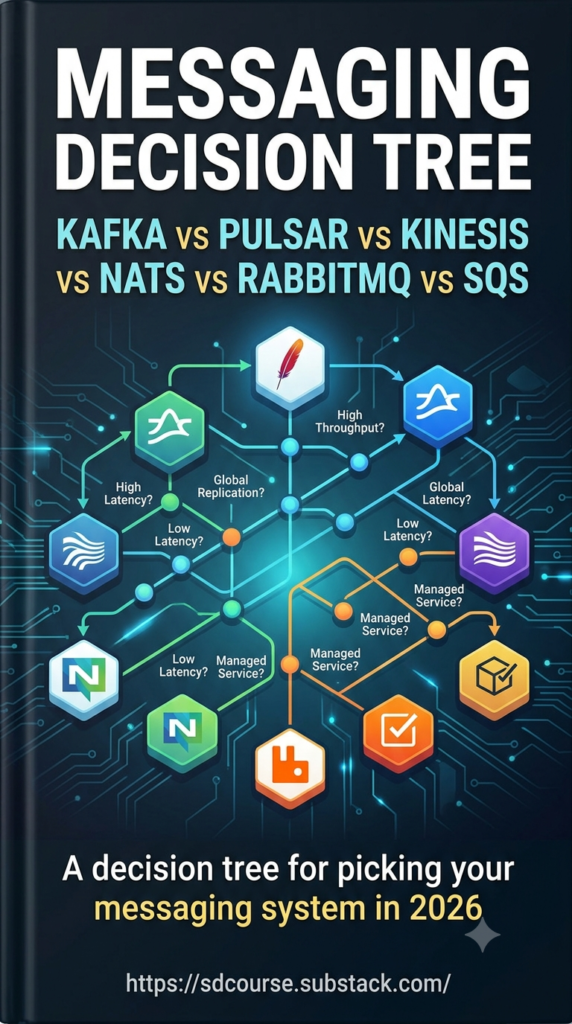
2. The Step-by-Step Decision Tree
Filter your choices using clear, practical criteria:
Throughput Brackets: Options tailored for < 1K/sec, 1K–100K/sec, 100K–1M/sec, and > 1M/sec sustained workloads.
Operational Tolerance: Recommendations based on whether you have a dedicated SRE team, managed cloud requirements, or zero ops bandwidth.
Ordering & Retention Needs: What happens when you need per-entity ordering vs. global ordering, or 24-hour processing vs. multi-year retention.
3. Deep-Dive System Profiles & Production Gotchas
Get a breakdown of all 6 major messaging systems:
Kafka: De-facto high-throughput standard, partition planning, and acks=all vs. rebalance pitfalls.
Pulsar: Compute/storage separation (BookKeeper), multi-tenancy, and native geo-replication.
Kinesis: AWS-native simplicity, shard scaling, and hidden cost drivers at scale.
NATS (JetStream): Sub-millisecond latency, tiny operational footprint, and edge/IoT capabilities.
RabbitMQ: Complex broker-level routing (AMQP), dead-lettering, and throughput ceilings.
SQS: Serverless work queues, visibility timeouts, and FIFO rate limits.
4. Real-World Cost Comparison & Anti-Patterns
Order-of-Magnitude Costing: See how self-managed Kafka, Confluent/MSK, Kinesis, and SQS stack up for a ~50K events/sec workload.
6 Expensive Anti-Patterns: Avoid common mistakes like using queues for event replay, forcing work-queue semantics onto Kafka, or using NATS for multi-petabyte log retention.
Quick Cheat Sheet (2026 Production Defaults)
Use Case / Environment
Recommended Default
AWS-Only (< 100K events/sec, Single Region)
Kinesis(Migrate to MSK if costs scale)
Multi-Cloud or On-Prem (Any Scale)
Kafka(Self-managed or Managed)
Fast Pub/Sub microservices
NATS JetStream
Async Work Queue (AWS)
SQS
Async Work Queue (Anywhere else)
RabbitMQ
Multi-Region from Day One
Pulsar
Ready to Build It Yourself?
Reading about messaging systems is step one—feeling how they behave under production load is where true expertise comes from.
Along with the decision guide, access the system design Course (SDCourse) curriculum to build a production-grade distributed log processing engine from scratch.